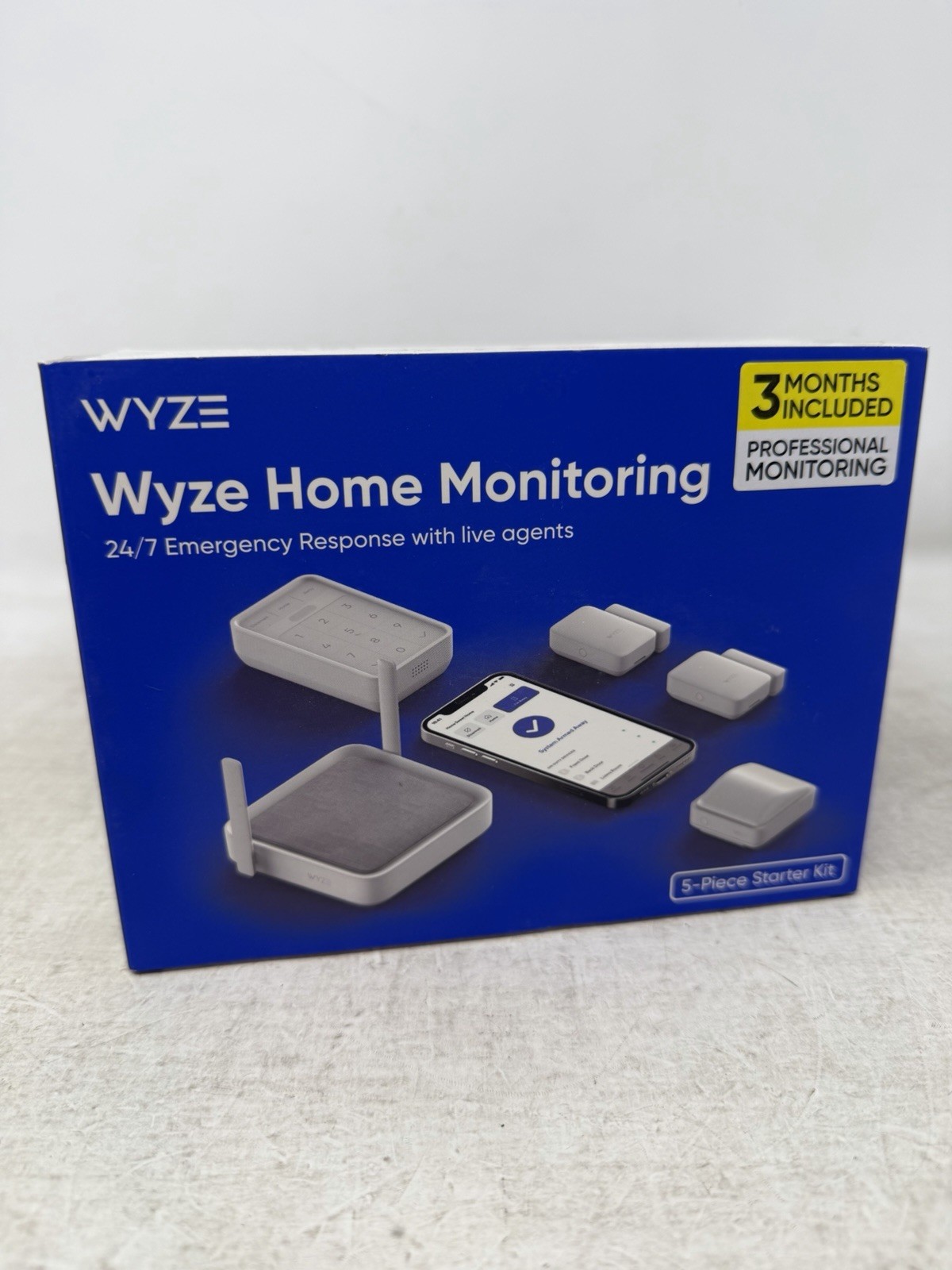
 Product media
Photos from current listings. Actual item, color, and included accessories may vary.
Wyze Home Security System Core Kit Buying Guide
The Wyze Home Security System Core Kit is a DIY, app-managed alarm bundle built around a hub that bridges sensors to Wi-Fi and a keypad for local arming. The trade-off is between Wyze's low-cost ecosystem convenience and its reliance on 2.4 GHz Wi-Fi plus battery-powered accessories, versus wired or cellular systems with professional monitoring. Buy the Core Kit only if you have stable 2.4 GHz coverage and accept self-monitoring or Wyze's optional subscription; skip it if you need landline/cellular backup or hardwired sensor runs.
At a glance
- Price range
- Varies by listing
- Category
- Home Security
- Status
- No live listings
- Last updated
- Nov 22, 2026
Current offers
Highlights
- Hub communicates with sensors over a proprietary sub-GHz RF link and connects to your router via 2.4 GHz Wi-Fi only — 5 GHz-only networks require a 2.4 GHz band or guest network.
- Core Kit sensors are battery-powered: entry sensors use CR2032 coin cells and the motion sensor uses AA batteries, so plan annual replacement and keep spares on hand.
- The keypad is wireless and battery-operated, requiring a clear RF path to the hub; it does not wire to doorbell or mains power.
- All Core Kit components are Wyze-ecosystem-only — sensors pair to the Wyze hub, not to third-party Z-Wave, Zigbee, or Matter controllers.
Best use cases
- Best fit: renters or first-time buyers wanting a no-drill, self-installed alarm for a single apartment — pick the Core Kit and mount sensors with included adhesive.
- Best fit: existing Wyze cam owners who want sensor-triggered alerts in the same app — the Core Kit hub unifies Wyze cameras and sensors under one automation layer.
- Wrong fit: large multi-story homes with detached garages — the Core Kit's single hub and RF range won't reliably cover outbuildings; choose a expandable panel system with repeaters.
- Wrong fit: households needing professional 24/7 monitoring with cellular fallback — skip Wyze's Wi-Fi-only hub and choose a system with LTE/landline backup and UL-listed monitoring.
Buying tips
- Count entry points first: the Core Kit's one motion sensor and two entry sensors suit a single entry door plus one window; add sensors for every additional door and ground-floor window.
- Confirm your router broadcasts a 2.4 GHz SSID — the Wyze hub will not join 5 GHz-only or WPA3-only networks without a compatible 2.4 GHz band enabled.
- Budget for batteries: CR2032 for entry sensors and AA for motion and keypad typically last about a year; buy a multi-pack at install time to avoid false 'low battery' faults.
- If you want camera-triggered recordings alongside alarms, factor in Wyze Cam and a Cam Plus subscription — the Core Kit alone only sends push notifications and sounds the hub siren.
Specs
| Connectivity | Wi-Fi 2.4 GHz hub + 915 MHz RF |
|---|---|
| Monitoring Type | Self-monitored via Wyze app |
| Included Sensors | 2 entry, 1 motion, 1 keypad |
| Power Source | Hub AC plug; sensors battery |
Alternatives to compare




Related searches
What to check before buying
- Measure your entry points: door frames with more than 1/2-inch gap between door and frame may need a spacer for reliable sensor contact.
- Verify your Wi-Fi router broadcasts 2.4 GHz and that the hub location has strong signal (at least 2 bars on a phone).
- Check that you have a free AC outlet near the intended hub location and 3 AA batteries for the keypad.
- Confirm your smartphone runs iOS 13+ or Android 8+ for the Wyze app, and that you are comfortable with app-based self-monitoring.
FAQ
Data sources: eBay / Amazon listings and product attribute feeds. Updated Nov 22, 2026.
Some links on this page are affiliate links. If you buy after clicking one, we may earn a commission at no extra cost to you. This does not change which products appear here or their order. Affiliate disclosure.