
Photos from current listings. Actual item, color, and included accessories may vary.
Wireless Indoor Security Camera Buying Guide
Wireless indoor security cameras are Wi-Fi-connected units that stream and record video without running video cabling to a recorder. The central trade-off is resolution and smart features versus local storage and privacy: cloud-dependent budget cams cap long-term value, while local-storage and dual-band models justify their premium. Buy local recording (microSD or NVR) and 2.4/5 GHz Wi-Fi if you want zero subscriptions; accept cloud-only 1080p only for casual pet-and-package checks.
At a glance
- Category
- Home Security
- Last updated
- Nov 22, 2026
Current offers
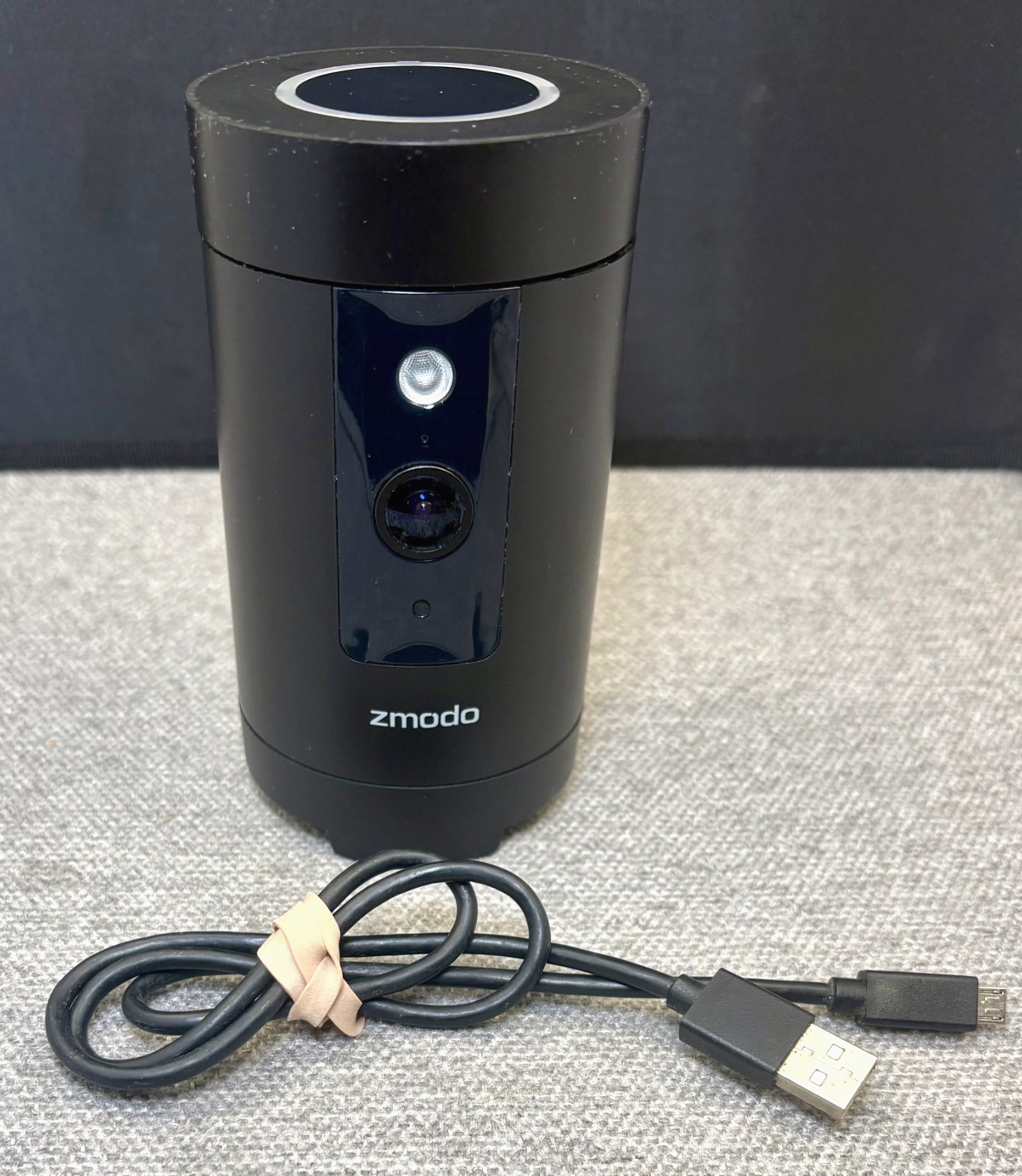 Zmodo Pivot 1080p 360° Rotating Wireless Indoor Security Camera ZH-IZV2D-W Black$34.99View on eBay
 ✅Wireless Security Camera System Indoor Home 2.4G Wifi Night Vision Cam 1080P HD$11.89View on eBay
 Wireless Security Camera Indoor Outdoor Home Wifi Night Vision Camera HD 4K$11.99View on eBay
 HD WiFi Security Camera Indoor Wireless Mini Home IP Camera APP Remote Monitor$11.99View on eBay
 1080P Wireless WiFi Camera Home Security Night Vision Cam Indoor & Outdoor 32GB$12.88View on eBay
 CCTV Camera WiFi 1080P Wireless IR Indoor Outdoor Security Night Vision Home CAM$13.84Last checked Nov 22, 2026View on eBay
 1080P FHD Baby Monitor, Wireless Indoor Home Security Camera PC420VB 2 SETS$14.99View on eBay
 boykeep Wireless 2G WiFi Security Camera 2K Smart Indoor Night Vision Wired Cam$15.19Last checked Nov 21, 2026View on eBay
 1080P WiFi Wireless Indoor Home Security Camera Night Vision Baby Pet Monitor$17.89Last checked Nov 22, 2026View on eBay
 1080P Compact WiFi Indoor Security Camera Wireless Home Monitoring Camera with M$17.89View on eBay
- 1080P WiFi Wireless Indoor Home Security Camera Night Vision Baby Pet Monitor$17.89View on eBay
 Security Camera System Outdoor Indoor Home Wireless Wifi Night Camera HD1080P~$17.99View on eBay
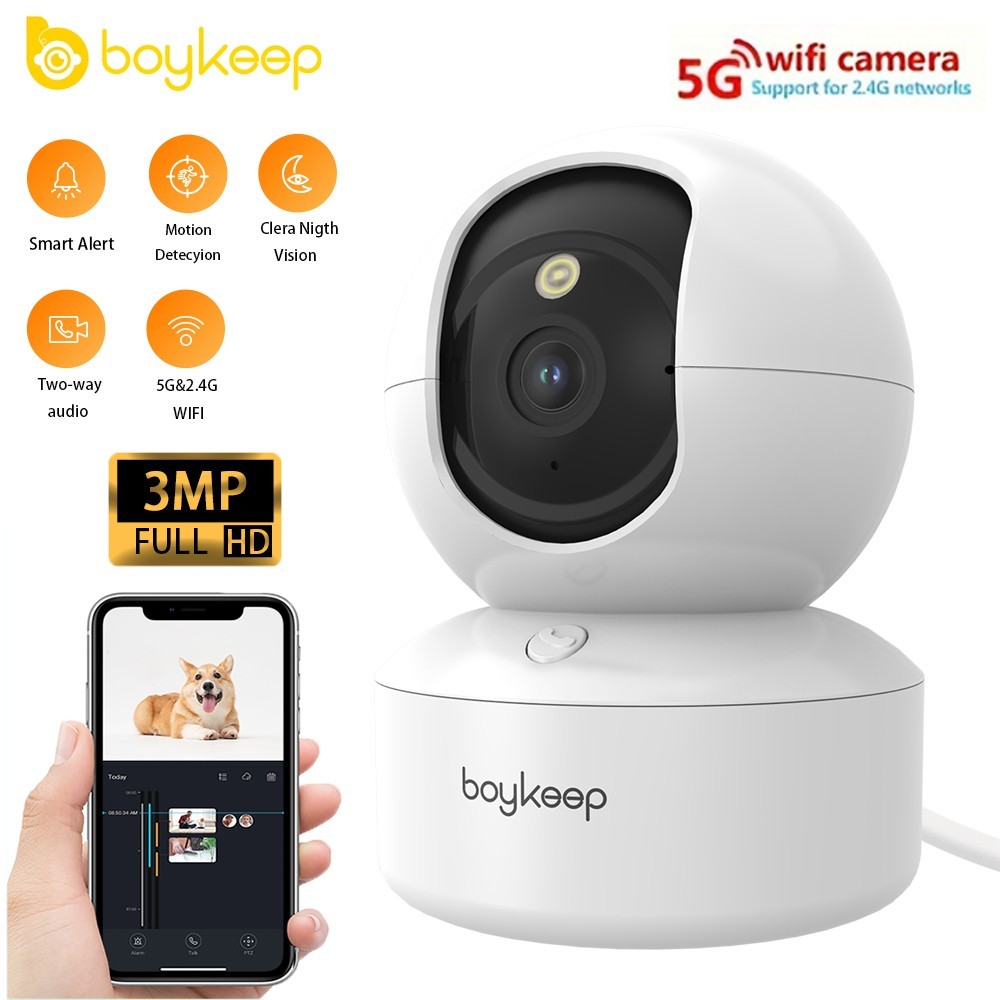 Wireless 5G WiFi Security Camera 2K Smart Home Indoor Night Vision Wired Cam$18.99Last checked Nov 19, 2026View on eBay
 Wireless 5G WiFi Security Camera 2K Smart Home Indoor Night Vision Wired Cam$18.99View on eBay
 1080P Wifi Wireless Indoor Home Security Camera Night Vision Baby Pet Monitor$19.79View on eBay
 1080P WiFi Wireless Indoor Home Security Camera Night Vision Baby Pet Monitor$19.89View on eBay
 3MP WiFi Wireless Indoor Home Security Camera Night Vision Baby Pet Monitor$20.61Last checked Nov 22, 2026View on eBay
 1080P Wireless Security Camera Indoor WiFi Smart Home IP Pet Baby Monitor Audio$22.95View on eBay
 1080P Wireless Security Camera Indoor Smart Home WiFi IP Cam Pet/Baby Monitor$23.99View on eBay
 Wireless Security Camera, IP Camera 1080P HD Wansview, Wifi Home Indoor Camera f$26.77View on eBay
Highlights
- Resolution tiers: 1080p is entry, 2K (1440p) is the value sweet spot, 4K costs more and demands stronger Wi-Fi and storage.
- Wireless means Wi-Fi data plus a power cable; battery models need recharging or a solar panel and usually drop continuous recording.
- Local microSD or NVR recording keeps clips subscription-free; cloud-only cameras lock motion history behind a paid plan.
- Pan/tilt models add 355° rotation and motion tracking, but fixed-lens units are cheaper, quieter, and less mechanically prone to failure.
Best use cases
- Best fit: a 2K or 4K camera with microSD slot and 2.4/5 GHz Wi-Fi for a living room or entryway where you want retrievable clips without a subscription.
- Best fit: a compact 1080p fixed camera for a nursery or pet room, where wide-angle coverage and two-way audio matter more than pixel count.
- Wrong fit: a battery-powered camera aimed at 24/7 continuous recording; constant streaming drains the battery in days, so choose a wired-power model.
- Wrong fit: a single-band 2.4 GHz-only camera for a large multi-floor home; expect dropped frames at range, so pick dual-band or add a mesh node.
Buying tips
- Match resolution to distance: 1080p reads faces to about 15 ft, 2K to about 25 ft, and 4K to about 35 ft in indoor lighting.
- Confirm a microSD slot supporting at least 128 GB; a 2K camera at continuous recording fills 128 GB in roughly 3-5 days.
- Choose dual-band 2.4/5 GHz Wi-Fi for cameras within 30 ft of the router; 2.4 GHz alone is for long-range through walls.
- Prefer wired USB power for continuous recording; battery cameras typically record only on motion events and need periodic recharging.
Specs
| Resolution Tier | 1080p / 2K / 4K |
|---|---|
| Power Source | USB wired vs battery |
| Local Storage | MicroSD / NVR vs cloud-only |
| Wi-Fi Band | 2.4 GHz only vs dual-band |
Related searches
What to check before buying
- Measure the mounting spot: pan/tilt cameras need clearance for a 355° sweep and a nearby outlet or long USB cable.
- Confirm your router band and signal at the camera location; 4K streaming needs roughly 15-25 Mbps sustained upload headroom.
- Check plug voltage: North American models are 100-240V with Type A/B plugs; confirm the adapter matches your outlet standard.
- Decide storage upfront: microSD card size, NVR compatibility, or a cloud plan, since cloud-only cameras have no local fallback.
FAQ
Data sources: eBay / Amazon listings and product attribute feeds. Updated Nov 22, 2026.
Some links on this page are affiliate links. If you buy after clicking one, we may earn a commission at no extra cost to you. This does not change which products appear here or their order. Affiliate disclosure.