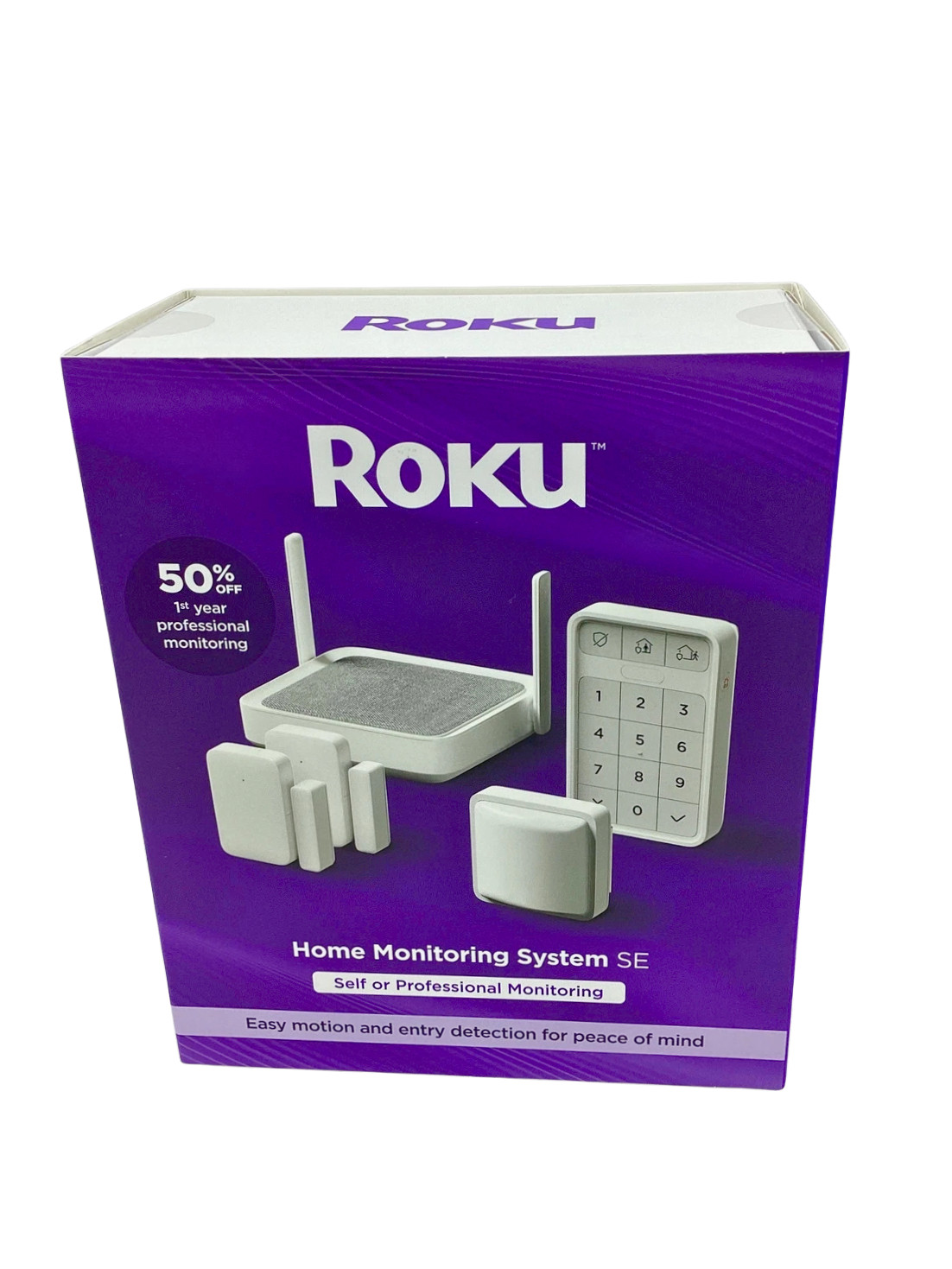

Photos from current listings. Actual item, color, and included accessories may vary.
Roku Home Monitoring System Se Buying Guide
The Roku Home Monitoring System SE is a 5-piece DIY security kit (hub, two entry sensors, one motion sensor, one keypad) that integrates natively with Roku streaming devices and the Roku Smart Home app. The core trade-off is ecosystem convenience versus expansion ceiling: it uses 433 MHz proprietary RF sensors with no third-party sensor support, so you buy into Roku's accessory line rather than a Z-Wave or Zigbee ecosystem. Buy it if you already use Roku as your primary streaming interface and want contract-free self-monitoring; skip it if you need cellular backup, professional monitoring, or broad sensor compatibility.
At a glance
- Category
- Home Security
- Last updated
- Nov 22, 2026
Current offers
Highlights
- Hub connects via 2.4 GHz Wi-Fi only (no 5 GHz, no Ethernet, no cellular backup), so it fails over to nothing when internet or power drops.
- Sensors communicate over 433 MHz proprietary RF to the hub, not Z-Wave or Zigbee, meaning only Roku Smart Home-branded accessories can be added.
- Kit includes one hub, two entry sensors, one motion sensor, and one keypad; the hub supports expansion to multiple additional Roku sensors.
- Self-monitoring is app-based with push alerts and a 30-day event history; optional professional monitoring is a separate subscription tier, not included in the box.
Best use cases
- Best fit: renter or first-time security buyer with Roku streaming devices who wants contract-free self-monitoring and app alerts on doors, windows, and motion.
- Best fit: apartment or single-entry home where a 5-piece kit covers the front door, one window, and a main hallway — pick this kit and add entry sensors as needed.
- Wrong fit: large multi-door homes or anyone needing cellular backup, professional dispatch without a subscription, or integration with Alexa/Google/HomeKit security automations.
- Skip if you already own Zigbee/Z-Wave sensors or a Ring/SimpliSafe base — Roku's proprietary RF sensors will not pair with those hubs and vice versa.
Buying tips
- Count your entry points first: the kit covers 2 entries + 1 motion zone; each additional door or window requires a separate Roku entry sensor, so budget for expansion before buying.
- Confirm 2.4 GHz Wi-Fi at the hub location — the SS1000R does not support 5 GHz networks, a common cause of setup failure in mesh Wi-Fi homes.
- Check that your streaming setup is Roku OS-based (Roku players or Roku TVs) if you want on-screen camera/alerts; the monitoring kit itself works via the Roku Smart Home app on iOS/Android.
- Plan for battery maintenance: entry and motion sensors use replaceable batteries with roughly 1-year rated life, and the hub/keypad need periodic battery checks — no hardwired option exists.
Specs
| Hub Connectivity | 2.4 GHz Wi-Fi only; no cellular |
|---|---|
| Sensor Protocol | 433 MHz proprietary RF (Roku only) |
| Kit Contents | Hub + 2 entry + 1 motion + keypad |
| Monitoring Type | Self-monitor app; pro optional |
Related searches
What to check before buying
- Measure door and window frames to confirm the two entry sensors' magnet-to-sensor gap fits (standard contact gap is roughly 1 inch / 25 mm).
- Verify a 2.4 GHz Wi-Fi signal reaches the intended hub location; the SS1000R has no Ethernet port and no 5 GHz radio.
- Confirm the hub can sit centrally within RF range of all sensors — 433 MHz range is rated for typical home distances but walls and metal reduce it.
- Check that your phone runs a current iOS or Android version supported by the Roku Smart Home app, and that you have a Roku account for device linking.
FAQ
Data sources: eBay / Amazon listings and product attribute feeds. Updated Nov 22, 2026.
Some links on this page are affiliate links. If you buy after clicking one, we may earn a commission at no extra cost to you. This does not change which products appear here or their order. Affiliate disclosure.